
The Logitech G500 is part of Logitech’s excellent ‘G’ range of gaming accessories. As with just about every mouse these days the G500 boasts a ridiculously sensitive laser sensor. In this case a staggering 5,700dpi, accompanied by other features that make it stand out as a choice for best gaming mouse – ten buttons, adjustable dpi, variable weights and onboard memory.

So What Do You Get With The Logitech G500?
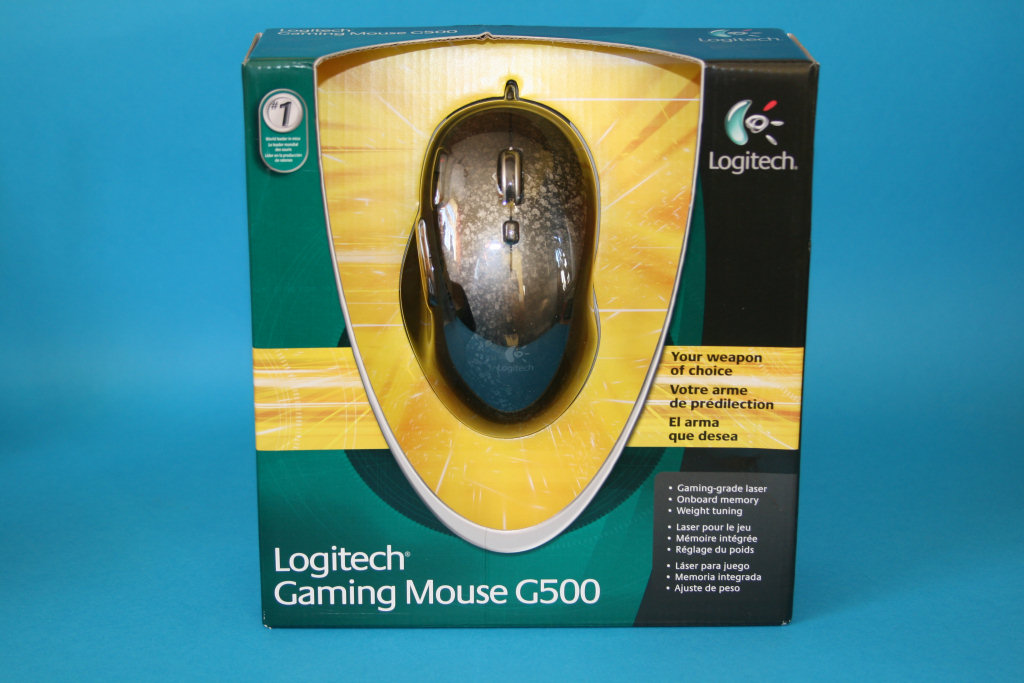
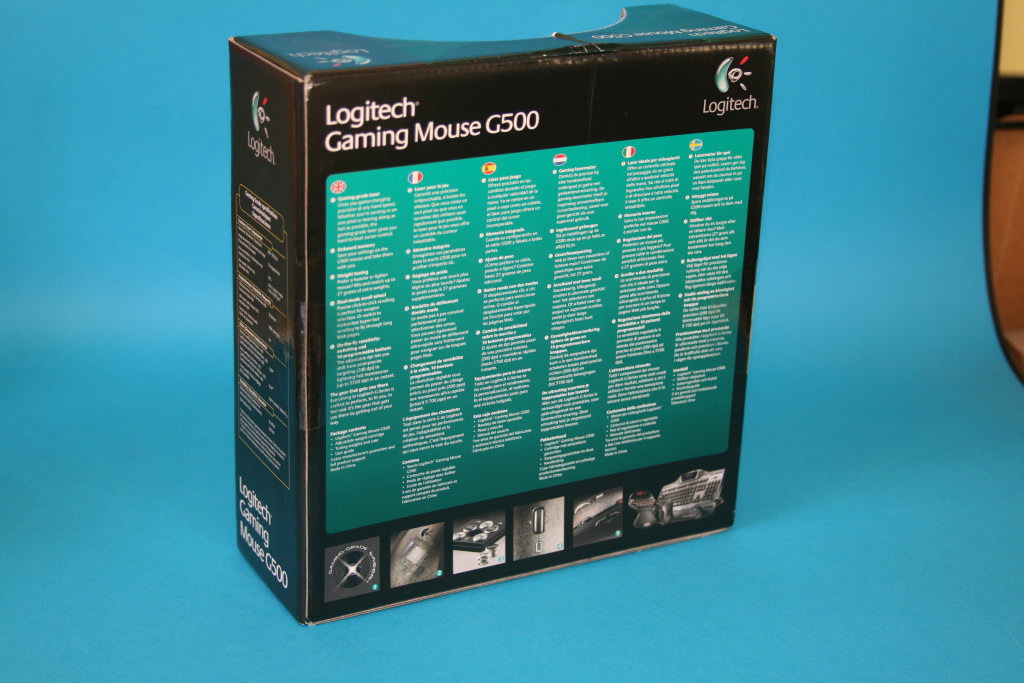
Logitech haven’t quite mastered the art of making interesting packaging. The G500 comes in a boring box that’s covered in a short list of features in various languages, with a handful of small photos of the best bits. It’s not got that ‘wow, that looks cool’ factor that you get from companies like Razer and Mionix.
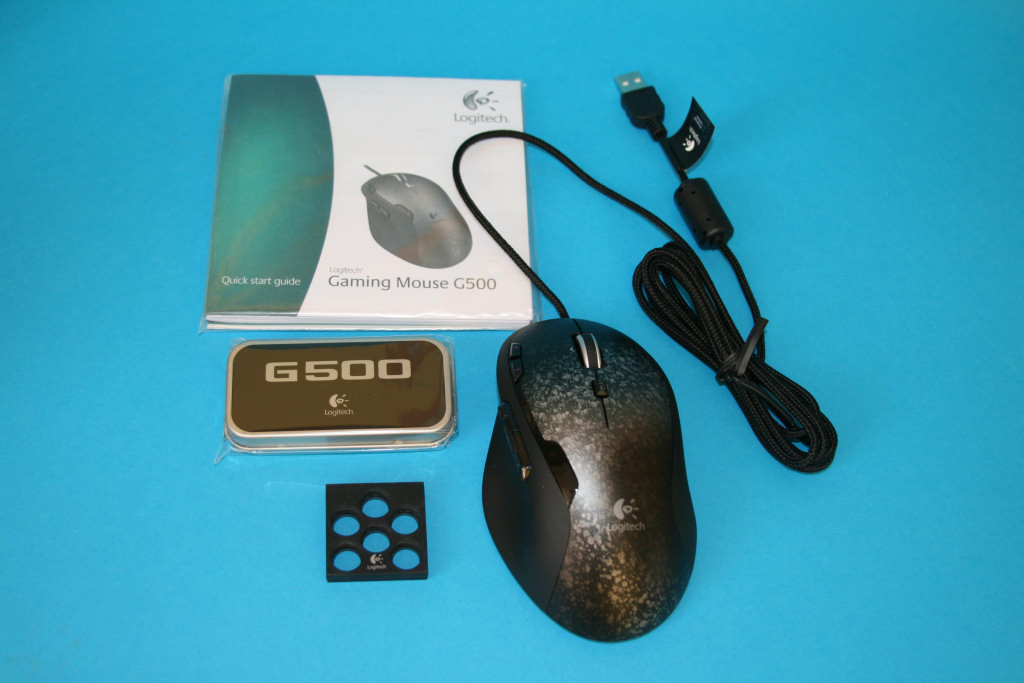
Open the box and things get more interesting, as inside you’ll find:
- a shiny new Logitech G500
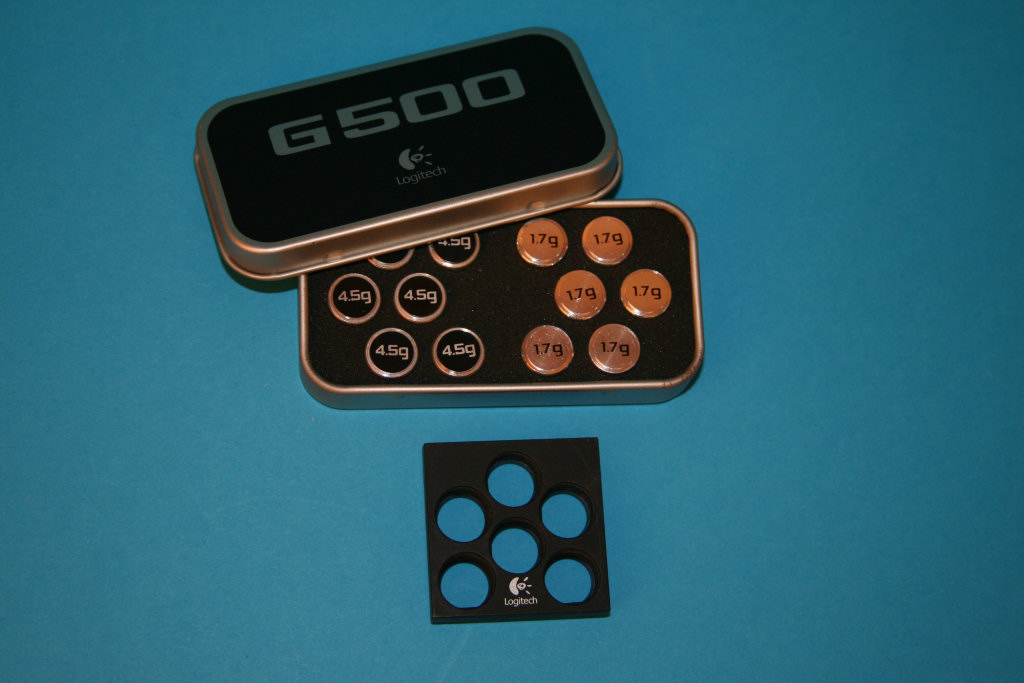
- a stylish weight box containing twelve weights
- the weight cartridge
- manuals, including a quick start guide, user guide, ‘important’ health and safety information and an ad for the rest of the ‘G’ range
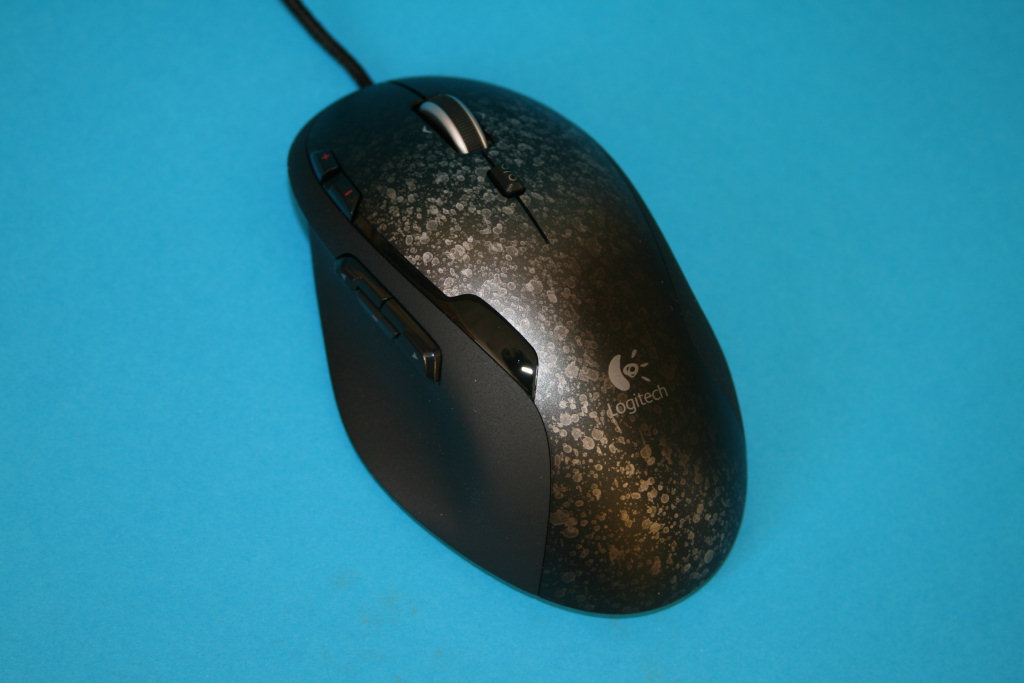
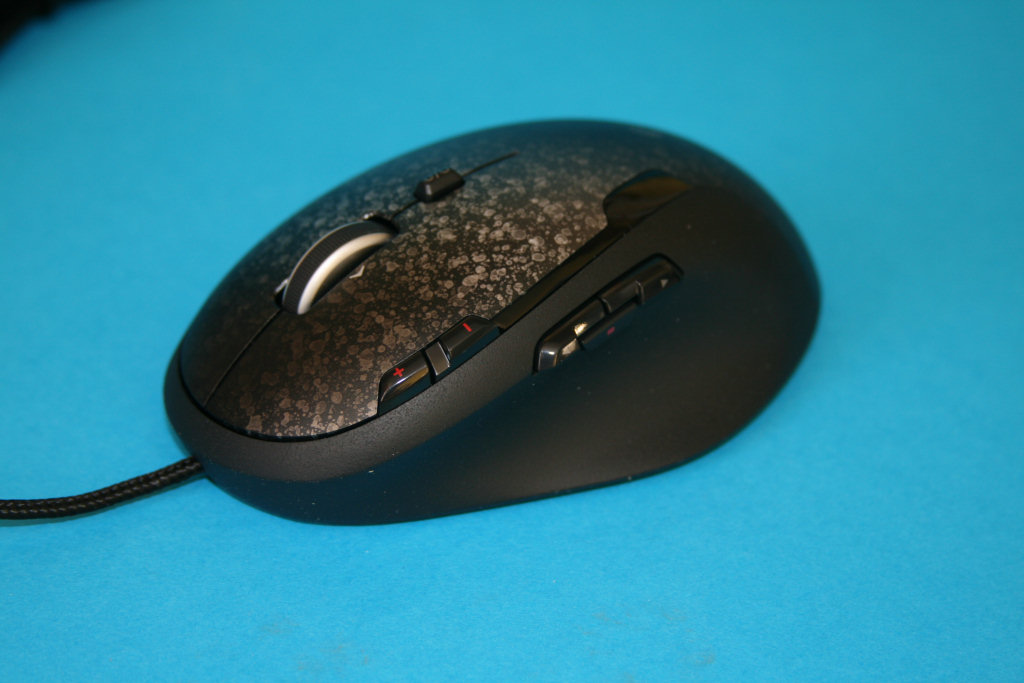
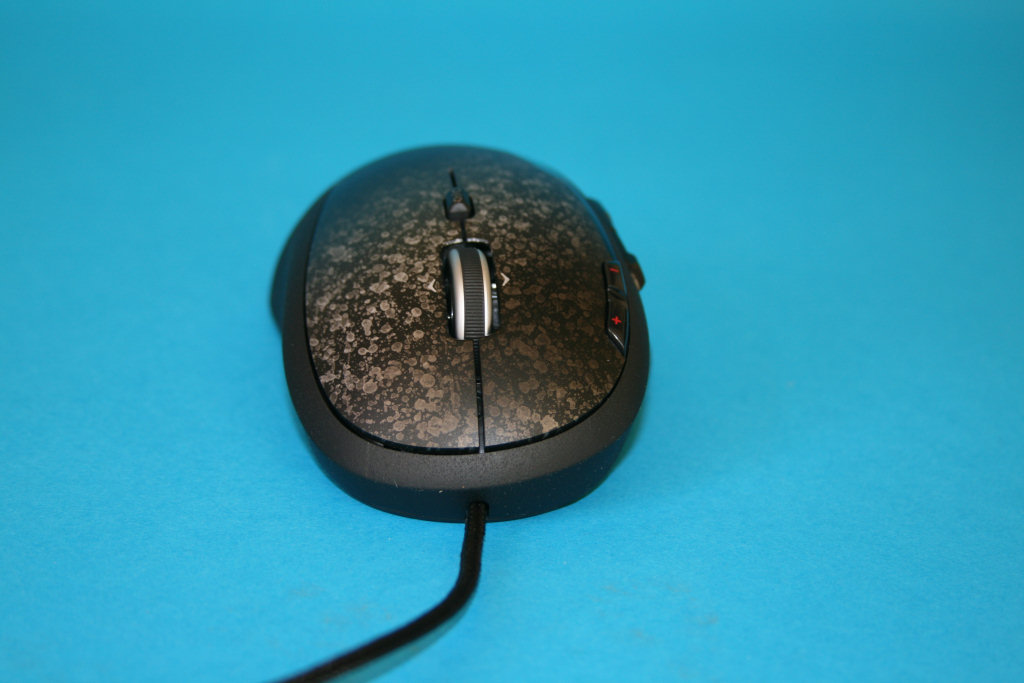
The mouse itself is a familiar design, an evolution of the old Logitech G5. It’s got a distinctive silvery pattern (tarnished metal?) on top and the sides are made of hard plastic with a gritty texture. There are ten buttons available on the G500 – the two main buttons, scroll-wheel click plus left/right tilt, two dpi buttons on the top left and three more buttons on the left side. The G500 also has a braided cable with a silver USB connector (the cheapskates didn’t gold-plate it).
There is another button, just below the scroll-wheel. This switches the wheel between a normal ‘clicky’ action and Logitech’s ‘hyper-scrolling’ action, where the wheel spins freely with surprisingly little friction – give it a good flick and it’ll carry on spinning for some time.
The current DPI setting is indicated by three red LEDs sat on top of the mouse. There Logitech Setpoint drivers are used to configure these three settings. By default the two buttons on top of the G500 control the dpi switching. It’s a simple system that works very well.
Underneath The Logitech G500
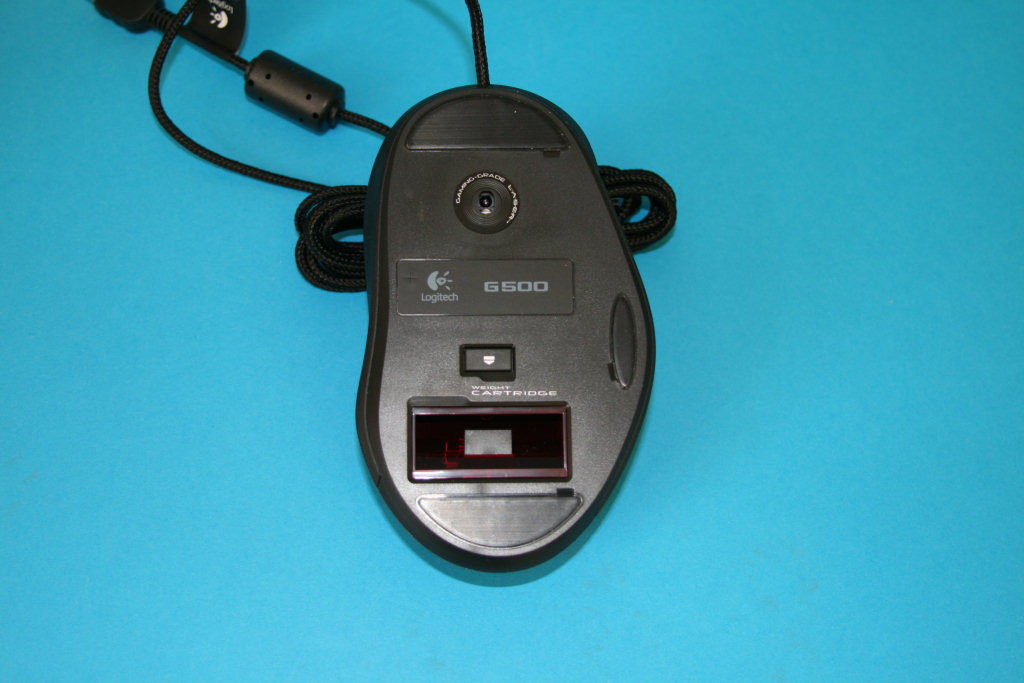
Flip over the mouse and you’ll find the slot for the weight cartridge. Yes, the G500 has a variable weight system using the same mechanism as the old G5. A removable cartridge holds up to six weights, and in the very smart weight box you will find six 4.5g and six 1.7g weights. You can mix and match any combination of weights up to 27g. I loaded up the maximum weight and immediately liked the new feeling, but then I like a hefty feel to my mice.
One thing to note is that the sensor on the G500 is not in the centre. It’s actually mounted towards the front of the mouse.
Setting Up The Drivers For The Logitech G500
One thing that Logitech are good at is producing good driver software, and the G500 is no exception. The only downside is that there is no installation CD with the mouse so you have to visit the website to download the latest version of the Setpoint driver software (just over 20Mb) but this is no great hardship.
Once installed Setpoint is very easy to use and gives you full control over the mouse. It gives you the ability to set up the three dpi levels for the G500 from just 200dpi all the way up to 5,700dpi and the x and y-axis can have different levels. You can also configure the mouse speed, cursor acceleration and polling rate.
Each of the button actions can be configured in the usual way and you can choose from standard Windows functions, mouse functions, keyboard keys or macros. The macro editor is very easy to use, allowing you to record your key strokes with ease. Configuring the buttons is important because some older games won’t recognise the mouse tilt or third side button, so you’ll need to reprogram the mouse to trigger the command you want.
The final feature of Setpoint is that it allows you to set up five different profiles and assign them to the mouse’s memory. You can then pick a button to switch between the profiles, or you can save the profile on the hard drive and have it load automatically when you start a particular game.
What’s the Logitech G500 Like In Use?
If you’re a left-handed gamer then you probably won’t want the G500 as it’s an ergonomic design for right-handers. Fortunately I’m right-handed and I have to say I found the G500 incredibly pleasing to hold, fitting into the palm of my hand perfectly. From that you can probably guess that I prefer a palm grip, rather than claw grip, and if you are a claw gripper then the G500 probably isn’t for you.
I don’t like the hard plastic that runs along the sides, preferring the soft rubber that you find on many other mice, but other than that the G500 feels great.
So time to get gaming with the G500. A good test of a gaming mouse’s sensor is a FPS so I started off with Far Cry 2, followed by some online action with Left 4 Dead. Through a few long sessions of mercenary and zombie slaughtering the G500 never skipped a beat. The tracking from the sensor was superb, remaining accurate throughout, and the lift-off distance is reasonable at around 2mm – other mice are better but I have definitely played with worse. The dpi switching works a treat, with the two buttons being in an ideal spot for switching up and down (easier to reach than those on the similar MX518), and the LEDs give an easy indication as to where you are on the scale.
The feel of the buttons is equally good, requiring minimal pressure and responding with a positive click. The left thumb buttons are particularly good, each one being light but with a shape that makes it easy to pick out the correct button. I don’t think I hit the wrong button once.
Switching to a bit of real-time strategy I fired up Dawn Of War 2 (I’m loving that game at the moment). Yet again the G500 handled the pace with ease, and the extra buttons proved useful for some of the popular in-game commands. It’s great to be able to move some of the many keyboard shortcuts onto the mouse, to take some of the strain from your left hand. I find that in a fierce firefight I can easily lose my place on the keyboard and be pressing the wrong keyboard button.
Back in Windows and it’s more of the same … accurate tracking and a nice feel to the buttons.
What’s Wrong With The G500?
That hyper-scrolling mechanism compromises the G500’s scroll-wheel. The free-wheeling action is of very little use for games as the scroll-wheel is usually used for selecting weapons/items from a list. For that you want a one-click-at-at-time movement to make sure you pick the right object. Unfortunately when you put the G500 into clicky mode the wheel feels a bit cheap and flimsy. I hope it’s built to last (*cough* Roccat Kone *cough). I think the G500 could have done without this feature and should have stuck with a normal mouse-wheel. A similar criticism can be aimed at the more expensive G9X.
Another minor point is that gritty texture on the sides. It doesn’t feel as nice as those rubbery coatings on other mice but then I suppose it’ll wear better over time.
Buying A Logitech G500
I bought my G500 from Amazon for the princely sum of $56.99, undercutting the retail price of $69. Not a bad price at all for such a feature-packed mouse, and a good discount considering it’s not been on sale for long.
Logitech G500 Review – Conclusion
I had high hopes for the Logitech G500 and it met them with ease. It’s difficult to find anything wrong with it and not once did it offer any sign of a fault or problem. The sensor performs well, the buttons are all easily accessible and it’s shape fitted my palm perfectly.
However, it’s not perfect. I find that hyper-scrolling action on the wheel is unnecessary on a gaming mouse and makes it feel flimsy. You can also tell that Logitech took the cheaper option in a couple of areas. The surface of the mouse would have been better coated in the same rubbery substance as used by the likes of Razer and Mionix, or even Logitech themselves on the more expensive G9x.
Also, the USB connector should have been gold-plated. It might not make any difference in-game but if other companies are doing it on cheaper mice it makes Logitech look a bit tight.
Nit-picking aside, I really like the Logitech G500 and give it a big ‘thumbs up’. It’s a fantastic gaming mouse at a good price. In fact, I think I prefer it to the more expensive G9X – my previous recommendation for the best gaming mouse.



Thanks for the review, I am definitely going to get this mouse 😀
No probs, I enjoyed reviewing it. The Razer Imperator is next!
dont buy this piece of s**t. i got it and i regret it. cheap plastic feel will also make your hands sweating. to light even with max weights. front mounted sensor will make your aiming harder, trust me on that (10 years playing Quake 3) if you wanna nice gaming mouse from logi, go for g9 or g9x.
So you don’t like it then, Mario? I agree about the positioning of the sensor, it’s a strange design for a new gaming mouse, but I adjusted to it without problem. Can’t agree about the weight, and while I did mention the cheap feeling plastic I never had any trouble with sweaty hands. If anything, I find the rubber coating on other mice is more prone to sweatiness.
Hey,
Last week, i went changing my roccat kone due to sensor problems, it started moving alone….
I changed it by the razer mamba, and unfortunately i didn’t like it ( its unconfortable), my hands are too big for it! I prefer playing with my fingers layed down ( i dont know the term :P) instead in claw. I want to change the razer but i dont know for which one, do you think this is a good alternative or are there better?
As i said, i want a big and confortable mouse, just like the roccat…
Thanks for the help
Hi wudja. It sounds like you mean palm grip. Have you tried a Logitech G500? They’re a reasonable size and good for palm-grippers.
I disagree completely with the scroll wheel being an issue. The reason is that ANY REAL FPS player will NOT use scroll
wheel as a means to select a weapon. That is because it is
inefficient. I know for a fact ALL upper amateurs to pros use
hot keys.
OK Steve, I’m not going to argue about weapon selection because you used CAPITALS, but no matter what you use the wheel for the hyper-scrolling feature is horrible. It’s clicky-scrolling for me all the time.
And yes, I do also use the keyboard for weapon selection – does that mean I qualify as a REAL FPS player?
I was a HUGE fan of the original G7, when I finally wore out the left button, I bought the newer G7 model. That mouse had issues, so I moved onto the G500.
There is a known firmware bug in the mouse that adds acceleration to the movement to some games, such as quake 3. I found the mouse unusable.
Buyer beware, if your a hard core FPS gamer, depending on the game, you may experience less than precision for mouse movement.
http://forums.logitech.com/t5/G-Series-Mice/I-need-help-updating-g500-firmware/td-p/400160/page/10
Thanks for the warning WebSurfinMurf.
this mouse is great for call of duty-has just the right amt.of buttons and tracks well
Hi I just want to comment on the hyperscroll.
The hyperscroll is one thing that I cannot live without. Its something that will keep me with Logitech for a lifetime. I’m a heavy fps gamer. You’d be surprised but I’ve impressed many people with the simple fact that I do exceptionally well with a simple laptop mouse. I used the Logitech VX Revolution and for those who know about it know its not any way or form a gaming mouse. One poster noted that you don’t use the middle mouse to scroll through weapons he is right. I never use it I only need hyperscroll when web surfing and it is beyond godly. Clickly scroll has nothing on hyperscroll. I don’t even bother switching modes because it accidentally changes only once in a blue moon and I’m too lazy especially when the switch is under the mouse… I finally retired my VX for a G500 and its hard to get use to… but I’ll manage. I love cordless but its not as responsive so I went cord. Hate it for now but it’ll save me from replacing annually
i bought the G500 yesterday, and i really can’t wait to get back home and use it again!! im addicted lol. paired with a nice cloth mouse-pad, it’s remarkably smooth and accurate. i use the max amount of weight. i play cod:mw2 and i binded a macro for automatic fire, for use with semi auto weapons and it gives me a serious advantage. the FAL is a semi auto weapon and it’s only drawback is just that. with this macro its FULLY auto. also in Battlefield: Bad Company 2 when im in a tank, i can flip to 5700 DPI instantly to do a quick 180 turn with the tank’s gun.
this mouse is the ultimate gaming mouse. period. after 10 years of using performance mice i can tell you this will last me several years (if it don’t break)
10/10!!!
Well every thing is fine with this mouse and ya the scroll wheel when in normal mouse mode does feel a bit cheap (I too really hope that its built to last). I had a MX518 before this I had to buy a new one as its scroll wheel started having problems after a year or so otherwise it was ok. With this mouse I guess everything works out fine.
This thing is nice, but for a hardcore fps gamer, its ok. Everything is ok, but the surface is, u know, not that much comfortable. I think The best gaming mouse ever is g9x
I just purchased this G500 after a hard decision between this one and G9x. Since I am a palm gripper and my hand is way too big then G9x was not my choice, even I do really liked it but it does not fit my hand like G500.
I have to admit this mice is great for both FPS and RTS gamer who wants both smooth, accurate and macro button as of choices. This is far better than cheap gaming mouse like Oker and similar.
Why even bring up the lack of gold plated usb connector? The parts that matter, the 4 pads that actually carry the signal, ARE gold plated. The “gold plating” other companies market is a total gimmick and used on the jacket, which carries no signal at all.
Personally I would like to see these “gold plated” connectors go away.
Fair point, but I’m a real sucker for shiny things.
Tom again from my previous post. right clicker became very gummy…. and did not click every time i pushed the button…. so i disassembled the mouse (voiding the warrantee) thinking there might be something gumming up the clicker. every thing was clean and fresh like it should be (its a brand new mouse. why wouldn’t it?) but it turns out the clicker was just faulty. i will not deal with any more Omron clickers (Omron makes Logitech’s clickers apparently) so i replaced the mouse with a Steelseries Xai. no hyper-scroll but a MUCH more solid and better mouse…. Has the rubber coating which just makes the mouse a pleasure to handle.
conclusion; Logitech is nice but if you wanna spend a bit extra and get a better mouse, go Steelseries.
Hi Tom. That’s surprisingly poor quality. I have to say I’ve had no clicker problems on my own G500. Hopefully this is just the one bad apple in the batch, rather than a sign of weakness in all of Logitech’s buttons. Interesting about the Omron link, and I did manage to find some replacement switches on eBay. Not necessarily for the G500, but it’s a good place to look.
I’ve not got my hands on a Xai yet, but I’ve heard good things about them and there’s a reason that Steelseries are well respected.
I also purchased this mouse a few weeks ago, its really comfortable, also I like the surface of the grip, buttons are nice but the scroll wheel is a bit hard to press, the build quality looks solid, and logitech rectified the issue with the scroll wheel that made middle clicks sometimes register as side scroll button press in the G5. Side buttons are placed closely but I have thin fingers, so that’s not an issue for me.
For the price its offered at(40$ at newegg after rebate), this mouse is simply unbeatable.
According to my experience of using Logitech products, they certainly don’t disappoint me in any way. I wish I had a chance to get this mouse because I enjoyed using the G5 a lot in the past few years
Silly…..I’m a claw gamer and have used both this and the G4 for over a decade now. Zero issues as a claw gamer. Also, the hyperscroll is personal preference….I think it’s heresy to go back to a click scroll unless a game demands it for whatever reason. In desktop use, there simply is ZERO substitute omfgstepawayfromtheclickyscrollsir…..
Not sure what ole mario up there is smoking either….never had any sweaty issues with this mouse. I think someone is just a big fanboy of some other mouse and doesn’t have the decorum to not throw grenades into other products reviews 🙂
I’ve actually been toying with the idea of machining some replacement cartridges for this mouse series…..out of steel 😀 I want more weight!
Also, the front mounted sensor is just for claw gamers, think about it.